
Free download
Download POKERHERO for iPhone, iPad and Mac
POKERHERO is a free download on the App Store for iPhone, iPad and Apple Silicon Mac. It needs iOS 15 or later and takes about 26.7 MB. On an Android phone or a computer, open the web app at pokerhero.cc instead: same features, nothing to install, and you can add it to your home screen.

- Free to download
- No sign-up needed
- Pro is a one-time unlock, not a subscription

System requirements
What do iPhone, iPad and Mac need to run it?
iPhone needs iOS 15 or later, iPad needs iPadOS 15 or later, and a Mac needs an Apple Silicon chip with macOS 12 or later. All three install the same app from the App Store. The app is about 26.7 MB, free to download, and works as soon as you open it, with no account required.
| Device | Requirement |
|---|---|
| iPhone | iOS 15 or later |
| iPad | iPadOS 15 or later |
| Mac | Apple Silicon chip, macOS 12 or later |
| App size | About 26.7 MB |
| Price | Free download; Pro is a one-time US$19.99 (base price) |
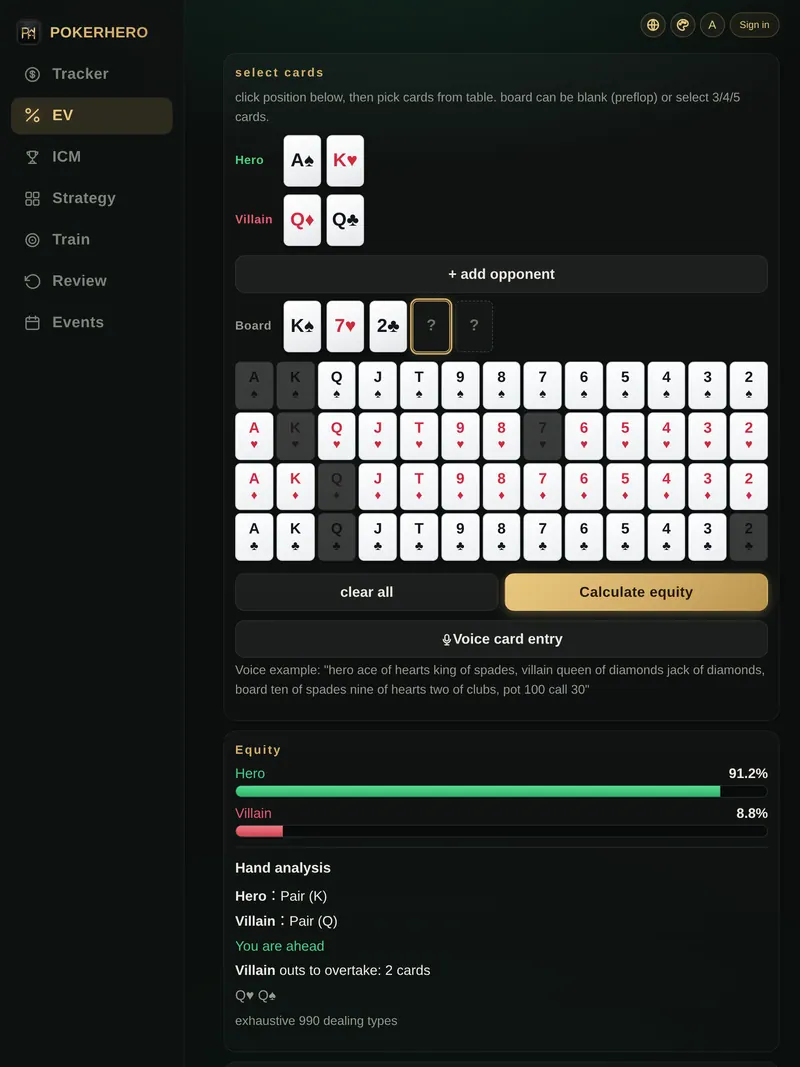
Web app at pokerhero.cc
No iPhone? How do I use it on Android or a computer?
On an Android phone or a computer, open pokerhero.cc in your browser. The web app has the same features as the app with nothing to install, one account works in both, and you only buy Pro once. There is no native Android app; once you add the web app to your home screen, it opens straight from its icon just like an app.
How do I add it to the home screen in Safari on iPhone or iPad?
- Open pokerhero.cc in SafariType pokerhero.cc into the address bar and wait for the page to load.
- Tap the Share buttonIt sits at the bottom of the screen on iPhone and at the top right on iPad: a square with an arrow pointing up.
- Choose Add to Home ScreenScroll down to Add to Home Screen and tap Add. The POKERHERO icon appears on your home screen.
How do I add it to the home screen in Chrome on Android?
- Open pokerhero.cc in ChromeType pokerhero.cc into the address bar and wait for the page to load.
- Tap the menu at the top rightThe three-dot icon to the right of the address bar opens the Chrome menu.
- Choose Add to Home screenSome Chrome versions call it Install app instead. Confirm, and the POKERHERO icon appears on your home screen.
On a computer there is nothing to install: open pokerhero.cc in your browser to calculate equity, log sessions and drill spots, and bookmark it to come back any time. Once added to the home screen, the web app works as a progressive web app (PWA) and opens full screen, so it looks and feels like a regular app.
How many languages does the app support?
POKERHERO comes in 12 languages that you can switch inside the app. The 4 color themes and text sizes up to 2x are in the settings too, free for everyone whether or not you have Pro, so you can make the text bigger whenever you need to.
- Traditional Chinese
- English
- Japanese
- Korean
- Simplified Chinese
- French
- German
- Spanish
- Portuguese (Brazil)
- Russian
- Thai
- Vietnamese
How do I find out what changed in an update?
New versions of the app arrive through the App Store, so with automatic updates turned on there is nothing to do. What changed and what was fixed in each release is listed on the changelog page of the web app, a good place to look for new features.
Download FAQ
Download and install questions
How much does POKERHERO cost?
The download is free, and the free version already covers equity, session tracking and daily drills. To remove the limits and use ICM, Nash charts and the other advanced tools, buy Pro: a one-time purchase that unlocks forever. The base price is US$19.99, and your local price is whatever your App Store storefront shows.
Is there an Android app?
There is no native Android app. On an Android phone, open the web app at pokerhero.cc in Chrome. It has the same features as the app with nothing to install, and you can add it to your home screen to open it from an icon.
Can I use POKERHERO on a Mac?
Yes. A Mac with an Apple Silicon chip and macOS 12 or later can install POKERHERO from the App Store. Intel-based Macs cannot install the app, so use the web app at pokerhero.cc in your browser; the same goes for Windows and other computers.
How do I get Pro back after changing phones or reinstalling?
Sign in with the same Apple ID, open the Pro upgrade screen and tap Restore purchase. To bring your records along, sign in with Apple or Google to turn on cloud sync first, or back up yourself with JSON export in Pro.
Do I need to create an account before downloading?
No. Every feature in POKERHERO works without signing up or logging in, and your data stays on your phone by default. Sign in with Apple or Google only when you switch phones or want to use several devices.
Get started
Download POKERHERO free
Get it from the App Store on iPhone, iPad or Apple Silicon Mac, open it and calculate equity or log your first session right away; on Android or a computer, open the web app. Pro is a one-time unlock, not a subscription, and the plan comparison spells out what it adds.